How to Audit Your Existing Content Library in a Day
You don’t need a month to audit your content. Learn a one-day process to inventory pages, score them by performance and intent, and decide keep/refresh/cut.
Table of Contents
A content audit is often treated as a multi-week project. It doesn’t have to be. With the right data sources and a clear triage framework, you can audit a content library of 50–200 pieces in a single focused day — identifying what to keep, what to refresh, what to merge, and what to remove. The output is a prioritised action list, not a perfect analysis of every nuance.
Here’s the process.
The Short Version
- Morning: export indexed URLs from Search Console, layer in 12 months of organic performance plus GA4 engagement data into one spreadsheet.
- Afternoon: triage every page bottom-up into Keep, Refresh, Merge, or Remove — never bulk-delete on traffic alone, check backlinks first.
- The deliverable is a prioritised action list, not finished work — refreshes feed the editorial calendar, merges and removes get scheduled separately.
- 200 pieces is comfortable for one person in a day; beyond 500, sample the top, bottom, and middle of the traffic distribution instead of reading everything.
Morning: build the inventory (2-3 hours)
Step 1 — Export your URL list. Pull all indexed URLs from Google Search Console (Indexing → Pages → All pages) and export. This is your baseline — every page Google knows about. Cross-reference against your sitemap to catch any indexed pages not in the sitemap.
Step 2 — Pull organic performance data. In Search Console, go to Performance → Search Results and export with a 12-month date range, by page. This gives you clicks, impressions, and average position for every page. Match this data to your URL list using a VLOOKUP or by pasting into a combined spreadsheet. You now have, for every indexed URL: its organic traffic, how many impressions it’s getting, and its average ranking position.
Step 3 — Add GA4 traffic data. Pull organic sessions by landing page from GA4 (Reports → Acquisition → Traffic Acquisition → filter by Organic Search, then switch to Landing Page dimension). This supplements Search Console data with engagement signals — pages with organic sessions but poor engagement metrics (bounce rate, scroll depth) may be attracting the wrong audience.
At the end of the morning you have a spreadsheet with every indexed page and its 12-month organic performance. Sort by clicks, descending. The structure of the list will be familiar: 10–20% of pages generating 80–90% of traffic, with a long tail of near-zero-traffic pages.
Afternoon: triage (3-4 hours)
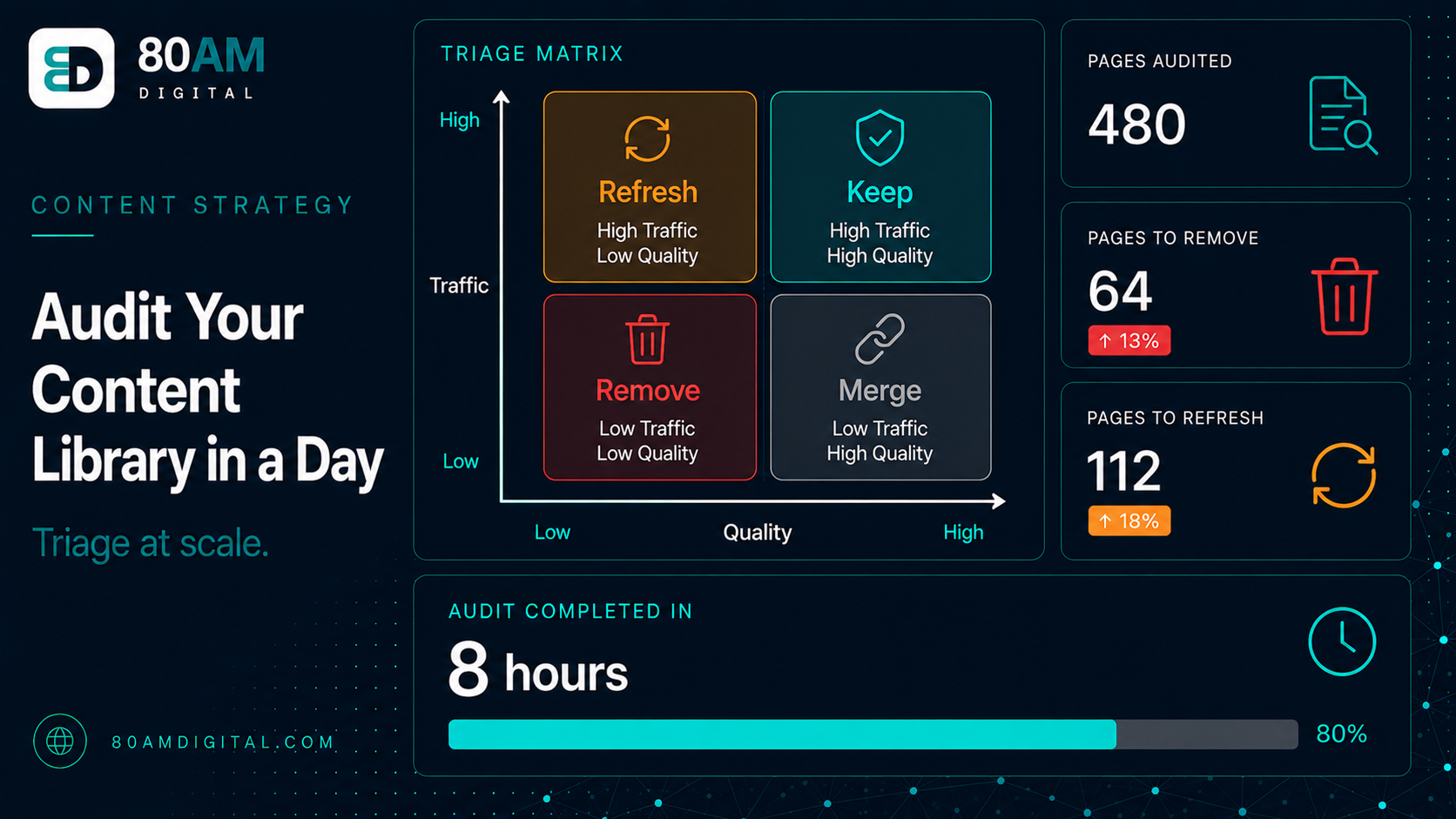
Work through the list from the bottom up (start with the worst-performing pages, not the best). Assign each page to one of four buckets:
| Bucket | Signal | Action |
|---|---|---|
| Keep | Meaningful traffic or strong rankings | Leave alone; flag for refresh if CTR is declining despite high impressions |
| Refresh | Some traffic/potential but outdated, thin, or out-ranked | Add to refresh queue with a priority tier (high/medium/low) |
| Merge | Duplicates a stronger page’s topic | Consolidate content into the stronger URL, redirect the weaker one |
| Remove | Zero traffic, no backlinks, thin/irrelevant, no improvement path | Redirect to the most relevant live page, or noindex if no redirect fits |
- Keep: Pages generating meaningful traffic or ranking well. Leave them alone. Note any that might benefit from a refresh (high impressions but declining CTR, or content that’s technically accurate but a year old).
- Refresh: Pages with some traffic or ranking potential but outdated content, thin coverage, or better-ranking competitors. Add to the refresh queue with a priority tier (high/medium/low).
- Merge: Pages covering the same topic as another, stronger page. Consolidate the content into the stronger URL and redirect the weaker one to it.
- Remove: Pages with zero organic traffic over 12 months, no backlinks, thin or irrelevant content, and no clear path to improvement. Redirect to the most relevant live page, or noindex if no redirect is appropriate.
Before assigning “Remove” to any page, check its backlink profile in Ahrefs or Search Console’s Links report. A page with zero traffic but external links should be redirected, not simply deleted.
End of day: the prioritised action list
The output of the audit is four lists: Keep (no action), Refresh (in priority order), Merge (paired with their destination URL), and Remove (with redirect destination or noindex instruction). This action list feeds directly into the editorial calendar — merge and remove actions can often be completed quickly; refreshes become scheduled calendar slots.
Don’t try to act on everything in a day — the audit and the execution are separate. The day’s work is producing the plan; implementation happens over the following weeks.
For how pruning and removal decisions work in detail, see content pruning. For how to approach the refresh work, see the content refresh playbook.
What a day actually buys you
Time-boxed, not thorough
A worked example: 140 pages in one sitting
A B2B SaaS site with 140 indexed blog posts ran this exact process in a single day. The morning export showed the familiar pattern: 22 pages (16%) accounted for 87% of organic clicks over the trailing 12 months, while 41 pages had zero clicks and fewer than 10 impressions in the same period.
The afternoon triage sorted the 140 pages into 58 Keep, 34 Refresh, 19 Merge (mostly near-duplicate “what is X” posts written by different authors over several years), and 29 Remove. Before finalising the Remove list, a backlink check in Ahrefs found that 6 of the 29 “zero-traffic” pages had referring domains — those were moved to redirect targets instead of being noindexed outright, preserving the link equity. The full exercise — export, merge, triage, and backlink check — took one person five and a half hours, and the resulting refresh queue became the next two months of the editorial calendar.
Frequently asked questions
A day well spent
A content audit done in a day isn’t a perfect audit. But it’s a real one — actionable, prioritised, and immediately useful. The goal isn’t to spend weeks categorising every nuance; it’s to produce a clear plan for what to fix, what to protect, and what to cut, so that the next quarter of content effort lands on a cleaner foundation.
If you’d like a content audit done alongside a broader site review, get in touch.