Internal Linking Strategy: A Repeatable System
Internal links route authority and help users and crawlers navigate. Learn a repeatable system for linking spokes to pillars and pushing equity to money pages.
Table of Contents
Internal links are one of the few SEO levers that costs nothing to pull — no budget, no outreach, no waiting for external signals. You control them entirely. And yet most sites have an internal link structure that grew by accident rather than design: posts linking to whatever the writer happened to remember at the time, with no system for routing authority to the pages that need it most.
A repeatable internal linking system changes that. This guide covers the principles behind effective internal linking, a practical workflow for auditing and improving your current link structure, and how to maintain the system as new content is published.
The Short Version
- Internal links transfer authority, signal topical relationships, and reduce bounce — they’re free, and you fully control them.
- Service and conversion pages usually need the most linking support — they’re often isolated from the content library that drives traffic.
- Spoke-to-pillar links are non-negotiable for a functioning cluster; spoke-to-spoke links should stay contextual, not mechanical.
- Specify link targets in the content brief, not after publishing — a page connected to its cluster from day one indexes and ranks faster.
What internal links actually do
Internal links do three things simultaneously:
Transfer authority (PageRank): Every page on your site has some level of authority, accumulated from external links and its position in the site hierarchy. Internal links distribute that authority to other pages. A link from a high-authority page to a weaker page passes some of that equity along — which is why new pages that receive internal links from established pages tend to rank faster than ones that sit in isolation.
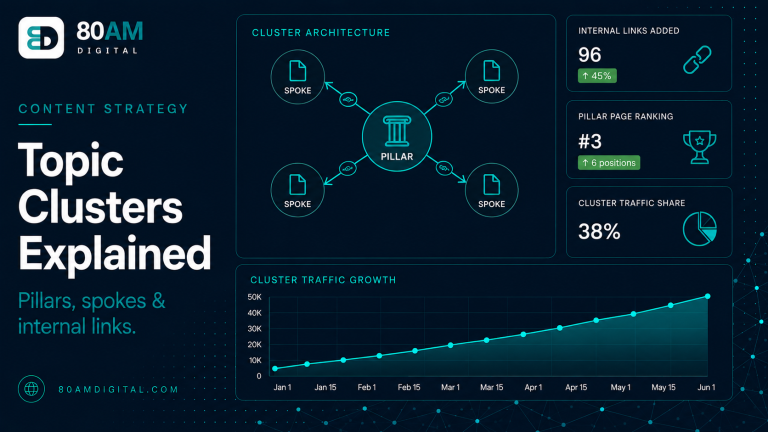
Signal topical relationships: Crawlers use anchor text and link patterns to understand how pages are related. A consistent pattern of spokes linking back to a pillar, with the pillar linking out to spokes, tells the crawler that these pages are topically connected — which reinforces topical authority across the cluster.
Reduce bounce rate on relevant content: A visitor who finds a useful contextual link to related content and clicks it is a stronger engagement signal than one who reads the page and leaves. Internal links keep visitors moving through your content — particularly within a cluster — and improve the session-level signals that factor into quality assessment.
The hierarchy: where authority flows
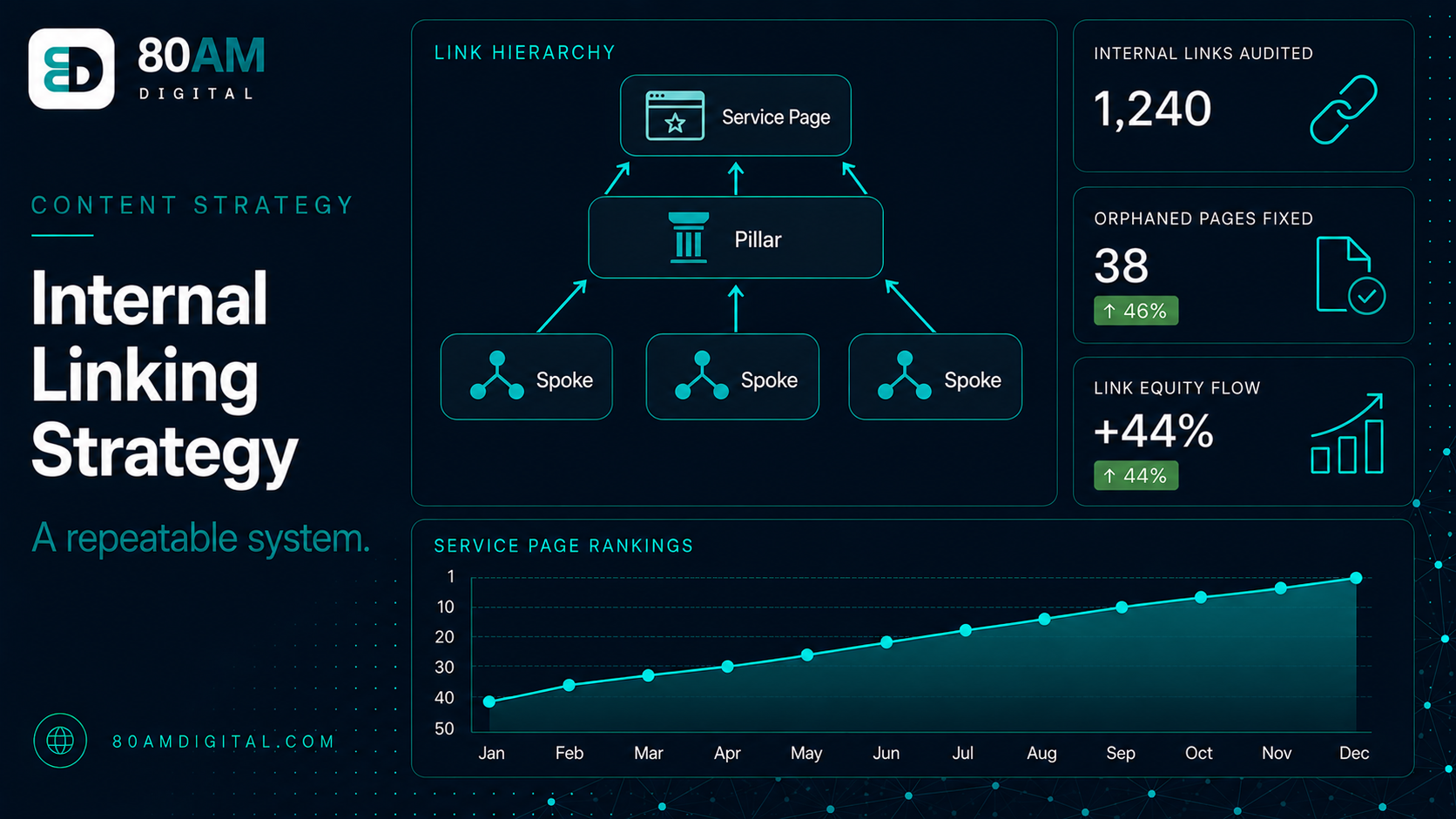
Before building a linking system, establish the pages that need the most authority support. In a cluster-based content structure, this is usually:
- Service and conversion pages — these need authority and crawlability, but are often isolated from the content library
- Pillar pages — the hub of each cluster; they benefit from receiving links from every spoke in the cluster
- Strategic spoke pages — high-traffic pages targeting competitive keywords that need authority support to hold or improve rankings
This hierarchy tells you which pages should be receiving links, not just giving them.
The three link types to manage
| Link type | Rule | Why |
|---|---|---|
| Spoke → Pillar | Mandatory on every spoke | A spoke with no link to its pillar contributes nothing to the cluster’s authority signal |
| Pillar → Spoke | Navigational, every spoke listed | Distributes the pillar’s authority down — critical for new spokes without external links yet |
| Spoke → Spoke | Contextual, not mechanical | Only where a reader genuinely benefits — forced cross-linking reads as manipulative |
Spoke → Pillar (mandatory)
Every spoke in a cluster should link to its parent pillar — ideally with contextual anchor text that includes or is adjacent to the pillar’s target keyword. This is non-negotiable for a functional cluster structure. If a spoke doesn’t link to its pillar, it’s a disconnected page contributing nothing to the cluster’s authority signal.
Pillar → Spoke (navigational)
The pillar links out to each of its spokes, giving readers a path to deeper content on each subtopic. These links also distribute the pillar’s authority down to spokes — which matters particularly for newer spokes that don’t yet have external links pointing to them.
Spoke → Spoke (contextual)
Spokes in the same cluster may link to each other where the content is directly relevant — not as a mechanical rule, but where a reader would genuinely benefit from seeing a related article. These links should be natural: a how-to that references a concept covered in more detail in another spoke in the cluster is a good candidate for a contextual link.
The linking workflow
For new content
The brief for every new article should specify: which pillar does this page belong to? Which existing pages should it link to? Which existing pages should be updated to link to this new page?
Answering these questions at brief stage means the article is connected to the cluster before it’s published — not after. A page that launches with internal links already in place indexes faster and starts accumulating authority signals sooner than one that gets links added weeks later.
For existing content
Auditing internal links on an existing content library is a one-time project with ongoing maintenance. The process:
- Crawl the site using a tool like Screaming Frog or Sitebulb to export the full internal link map
- Identify orphaned pages — pages with no internal links pointing to them. These are invisible to crawlers and accumulate no authority
- Map each page to its cluster — which pillar does it belong to? Does it link to that pillar? Does the pillar link back to it?
- Check service page links — are your service pages receiving internal links from the blog? A content library that earns traffic but never routes it toward conversion pages is a missed opportunity
- Fix in priority order — start with pages that have high authority but no links to the most important pages, then move to orphaned pages with significant external links
Anchor text: what to use and what to avoid
Anchor text for internal links should be descriptive — not “click here,” not the full page title, but a phrase that tells both the reader and the crawler what the linked page is about. Two to five words that naturally describe the linked content work well. Using the target keyword of the destination page as anchor text is fine — but varies it slightly across different linking pages to avoid exact-match repetition at scale.
For a wider view of how internal linking fits into the content system, see how topic clusters and internal links build topical authority and how to build a content engine that compounds.
What a healthy link profile looks like
Rough internal linking benchmarks
A worked example: routing authority to a stalled service page
A consultancy’s core service page had been stuck around position 11-14 for its primary keyword for over a year, despite the company’s blog generating solid traffic and earning a steady stream of external links to several popular guides. A link audit showed the disconnect clearly: the three highest-authority blog posts on the site — each with dozens of external backlinks — had zero internal links pointing to the service page, or to any page in its cluster. The blog and the service pages had effectively been built and maintained as two unconnected sites sharing a domain.
The fix was narrow and deliberate: adding one genuinely contextual link from each of the three high-authority posts to the service page, using anchor text that matched how the posts already discussed the service naturally — not forced insertions. No other changes were made to isolate the effect of the linking change. Within 70 days, the service page moved from position 12 to position 6, a shift the team attributed specifically to the new internal authority flow rather than any external change, since no new backlinks or content updates occurred on the page itself in that window.
Frequently asked questions
Build the system once, maintain it consistently
Internal linking isn’t a one-time project — it’s a habit. The sites that benefit most from internal linking are the ones that embed the system into the content production process: every brief specifies link targets, every new article launches already connected to its cluster, and every quarter the link audit catches orphaned pages and missed opportunities before they compound.
If you’d like help auditing your current internal link structure or building the system into your content workflow, see how we work on content and SEO strategy.