Content Pruning: When Deleting Pages Grows Traffic
Thin, outdated pages can drag down a whole site. Learn how to audit, prune, merge or redirect low-value content so your strongest pages rank better.
Table of Contents
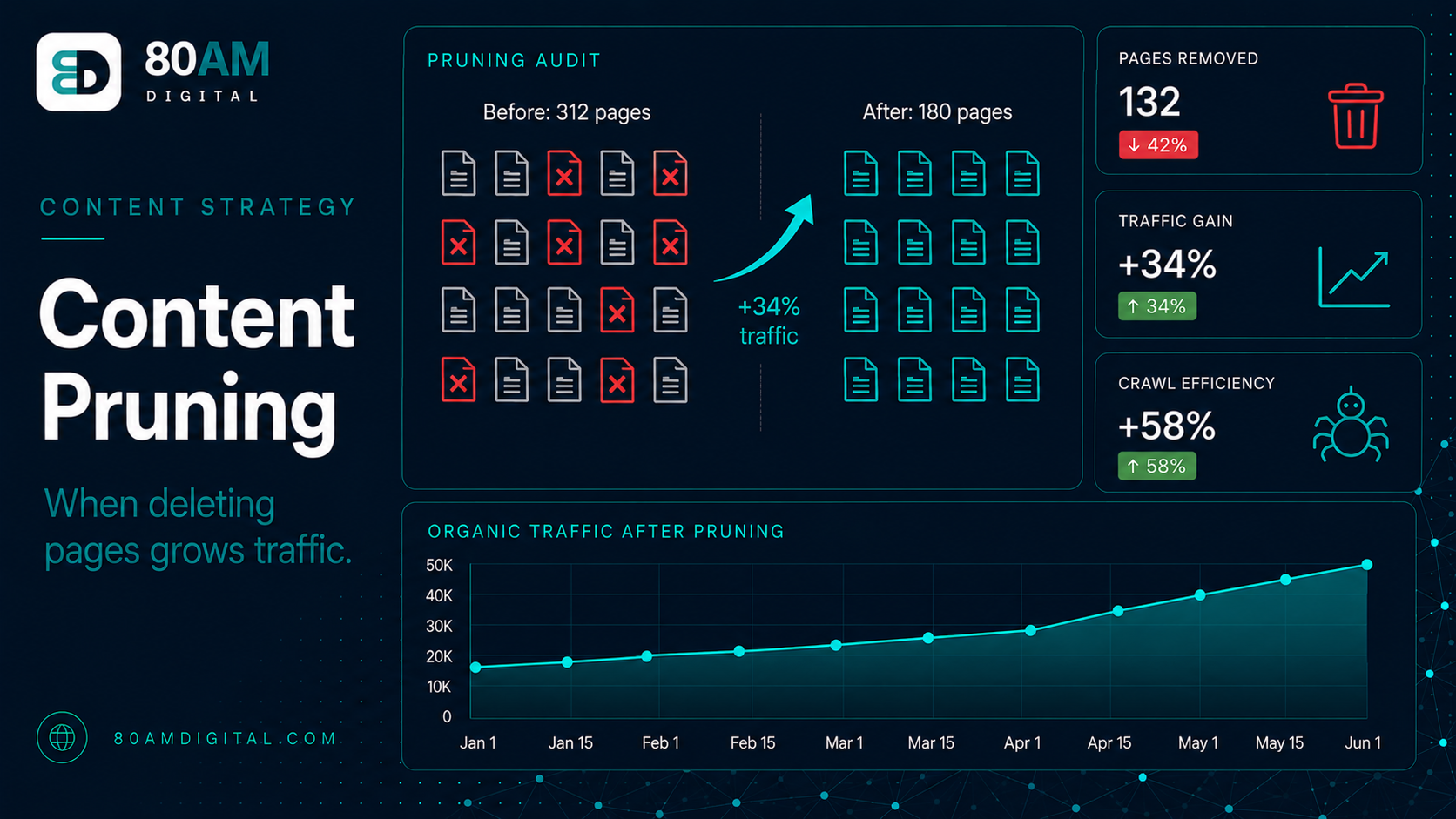
More content doesn’t always mean more organic traffic. A site with hundreds of thin, outdated, or redundant pages may rank worse than a leaner site with fewer, higher-quality pages on the same topics. The reason: Google evaluates overall site quality, and a library full of low-value content signals drag against the pages you actually want to rank.
Content pruning is the process of identifying low-value pages and deciding what to do with them: update them, merge them into stronger pages, redirect them, or remove them entirely. Done correctly, pruning can improve overall crawl efficiency, concentrate topical authority, and lift rankings on your strongest content.
The Short Version
- Zero-traffic pages, near-duplicates, and unfixable outdated content are the clearest pruning candidates — start there.
- Always check backlinks before pruning — a page with external links should be redirected, never simply deleted.
- Pruning pages with any existing traffic can cause a short-term dip before quality signals improve — target genuinely zero-traffic content first.
- Expect a 60-90 day window before indexation changes propagate and ranking effects on preserved content become visible.
Which pages are candidates for pruning
Pull your full page inventory from Google Search Console (Indexing → Pages) and cross-reference with organic traffic from GA4 or Search Console Performance. Look for:
- Zero-traffic pages: Pages that have received no organic clicks in 12 months are either not indexed, not ranking for anything meaningful, or ranking for queries nobody searches. These are the first pruning candidates.
- High-impression, low-CTR pages at low positions: Pages appearing for queries but ranking too low to attract clicks — position 20–50. These may have competing, stronger content on other sites, or may be targeting keywords they’re not well-matched to.
- Near-duplicate content: Multiple posts covering the same topic from slightly different angles — “best running shoes for beginners” and “running shoes beginners guide” and “how to choose beginner running shoes” all competing against each other for the same keyword cluster.
- Outdated content that can’t be updated: Posts referencing products, tools, regulations, or statistics that are now irrelevant and have no path to being current again.
- Thin content: Pages under 300 words with no depth, no original insight, and no SERP differentiation from stronger pages on the same topic.
The four pruning actions
| Action | When to use it |
|---|---|
| Update | Genuinely valuable topic, but outdated or thin — refresh in place, keep the URL, update the publish date |
| Merge | Two or more thin pages on the same topic — consolidate into the strongest URL, redirect the rest |
| Redirect | Page is being retired but a relevant existing page exists — 301 to it, never to the homepage by default |
| Remove + noindex | No backlinks, no traffic, no redirect destination, no improvement prospects — retire it entirely |
Update: If the page covers a genuinely valuable topic but is outdated or thin, refresh it. Add current information, expand the coverage depth, improve the structure. Keep the URL, update the publish date. This is the right action when the page has earned any backlinks or indexed history worth preserving.
Merge: If you have two or more thin pages covering the same topic, consolidate them into one stronger page. Keep the URL of the page with the most links or traffic history, redirect the others to it, and combine the best content from all versions. The merged page should be materially better than any of its predecessors.
Redirect: If a page is being retired but there’s a relevant existing page it relates to, redirect it there with a 301. Don’t redirect to the homepage unless there’s genuinely no related page — a specific-to-general redirect passes no topical relevance.
Remove + noindex: For pages with no backlinks, no traffic, no related content to redirect to, and no prospects for improvement — remove them and add a noindex tag, or simply delete them (which will result in a 404 that clears from the index within a few weeks). Use this sparingly, and only when there’s no redirect destination that makes sense.
What to expect after pruning
Pruning results are rarely immediate. Expect a 60–90 day window before indexation changes propagate fully and ranking effects become visible. Sites with large quantities of low-quality content may see noticeable crawl efficiency improvements relatively quickly — Search Console’s crawl stats will show Google crawling more productively after the low-value pages are removed or noindexed. Ranking improvements on the preserved content typically follow in the weeks after crawl efficiency improves.
For how pruning fits into a broader content audit, see how to audit your content library. For the refresh strategy on pages worth keeping, see the content refresh playbook.
How big a pruning pass usually needs to be
Signals it’s time to prune
A worked example: cutting a third of a site to grow it
A home services company had 640 indexed blog posts accumulated over eight years, many written for hyper-local long-tail keywords that no longer reflected the business’s service areas, plus dozens of near-duplicate “how to fix X” posts written by different contractors over the years with significant overlap. A full audit cross-referencing Search Console traffic data found 210 posts with zero organic clicks in the trailing 12 months and another 45 sets of near-duplicate posts competing against each other.
The team merged the 45 duplicate sets down to 18 consolidated, stronger posts (302 pages eliminated through merging and redirecting), and reviewed the 210 zero-traffic posts individually: 40 had backlinks and were redirected to the most relevant current page, while the remaining 170 had no backlinks, no remaining relevance, and were removed with a noindex tag ahead of eventual 404. The site went from 640 indexed pages to roughly 168 — a 74% reduction. Within four months, Search Console showed average position improving across the surviving content, and overall organic traffic was up 22% year over year despite publishing dramatically less new content during the same period, with the gain attributed almost entirely to the pruning project rather than new content production.
Frequently asked questions
Less can rank better than more
The instinct to keep everything, update nothing, and keep publishing is understandable — content feels like an asset. But a library full of thin pages is more like dead weight than an asset: it consumes crawl budget, dilutes topical authority, and competes against the pages you actually want to rank. Pruning is the editorial discipline that keeps the library working for the site, not against it.
If you’d like a content audit and pruning strategy as part of a broader growth review, get in touch.