How to Audit Your Conversion Rate Without Paid CRO Tools
You don’t need a full CRO stack to find what’s stopping conversions. Learn a structured audit method using free tools you already have access to.
Table of Contents
Most conversion rate audits get framed as something that requires a full-stack CRO setup: Hotjar or Heap for session recording, a VWO or Optimizely account for A/B testing, a dedicated analyst to interpret the data. For businesses that don’t have these tools, the assumption is that meaningful CRO work is out of reach. It isn’t.
GA4 (free), Google Search Console (free), Microsoft Clarity (free), and a structured audit framework are sufficient to identify the most significant conversion problems on most websites. The paid tools add depth and speed — they’re not prerequisites for doing the work.
The Short Version
- Five free tools and steps cover most of the diagnosis: confirm your conversion event, segment by channel, find the funnel drop-off, watch Clarity recordings, check query-to-page alignment.
- A 0.2% organic conversion rate next to a 6% direct rate usually points to message-match problems, not a broken offer.
- The full framework takes 2-3 hours for most small-to-medium sites once conversion tracking is already in place.
- The audit produces a prioritised list of hypotheses, not a fix — re-audit after 4-6 weeks of data on the changes you make.
The five steps, summarised:
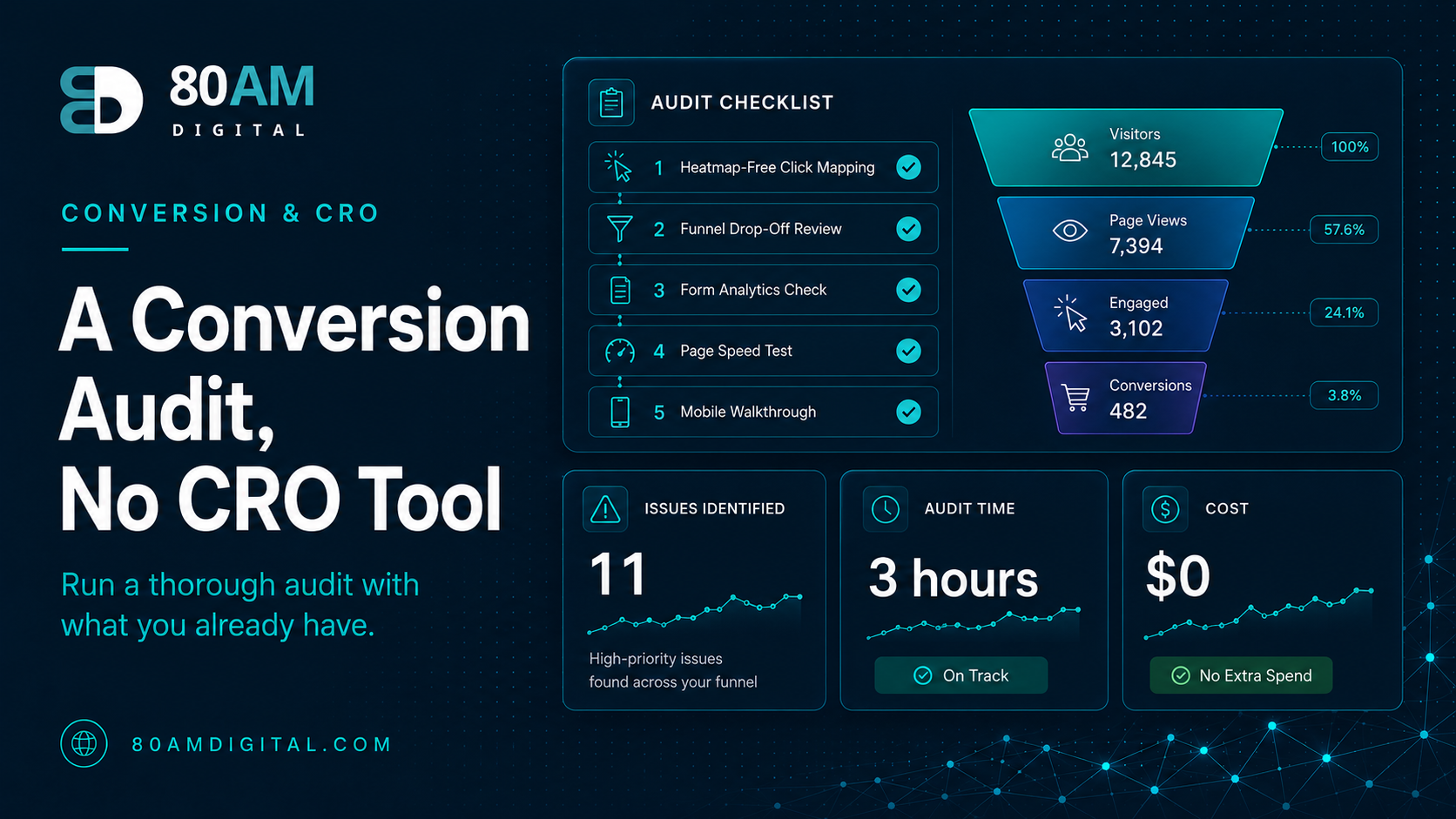
| Step | Tool | What it reveals |
|---|---|---|
| 1. Define the conversion event | GA4 | Whether you’re even measuring the right thing |
| 2. Segment by traffic source | GA4 | Which channels convert and which don’t |
| 3. Find the drop-off page | GA4 Funnel Exploration | Where in the journey visitors leave |
| 4. Watch behaviour | Microsoft Clarity | Rage clicks, dead clicks, real friction points |
| 5. Check query alignment | Search Console | Whether the page matches what visitors searched for |
Step 1: Define what “converting” means
Before auditing conversion rate, confirm what conversion event you’re measuring. In GA4, check Reports → Conversions to see which events are marked as conversions. If the list is empty or includes only page views, the first step is setting up proper conversion tracking — a form submission event, a thank-you page view, a phone call click, or a purchase event. Everything after this depends on having the right denominator (sessions or users) and the right numerator (conversions). See conversion events that tie to revenue for the setup.
Step 2: Segment conversion rate by traffic source
In GA4: Explore → Funnel Exploration (or Reports → Acquisition → Traffic Acquisition), add “Session default channel group” as a dimension, and compare conversion rates across Organic Search, Direct, Referral, Paid Search, and Social. This single view often reveals the most important insight: which channel converts well vs which sends traffic that doesn’t convert.
Common patterns: organic traffic converts at 1–3%; paid traffic at 2–5% (if the targeting and landing page are aligned); direct traffic at 4–8% (these visitors already know you). If organic is converting at 0.2% while direct is at 6%, the problem is likely landing page alignment — visitors from search aren’t landing on pages that match what they searched for, or the pages aren’t designed to convert a cold visitor.
Step 3: Find the drop-off page
In GA4: Explore → Funnel Exploration. Build a funnel: Landing page → Key page (pricing, services, product) → Conversion event. The step with the highest drop-off rate is where the conversion problem lives. If 1,000 visitors reach the landing page, 200 reach the pricing page, and 8 convert, the two problems are: (a) 80% of visitors left without reaching pricing, and (b) 96% of those who reached pricing didn’t convert. These are different problems requiring different fixes.
Step 4: Use Microsoft Clarity for behavioural data
Microsoft Clarity (clarity.microsoft.com) is free and installs with a single script tag or WordPress plugin. It provides session recordings (watch individual visitors navigate your site), heatmaps (where visitors click and scroll), and Copilot summaries (an AI summary of user behaviour patterns). The most useful report for conversion auditing: the “Rage Clicks” and “Dead Clicks” filters — these surface interactions where visitors click on non-clickable elements (suggesting they expect something to be a link) or repeatedly click in frustration (suggesting something isn’t working as expected).
Step 5: Check landing page-to-search query alignment
In Search Console: Performance → Queries. Filter by the pages with low conversion rates (from your GA4 funnel analysis), then check what queries are sending traffic to those pages. If a page converts poorly and the queries sending traffic to it are significantly different from what the page is about, you have a message match problem — visitors arrive expecting one thing and find another. This is one of the most common and most fixable causes of poor organic conversion rates.
For the message match fix specifically, see message match: aligning ads, landing pages, and organic copy. For the broader diagnosis, see traffic but no conversions.
A worked example: the five steps on one site
What the five steps surfaced
A professional services site ran the full five-step audit in one afternoon. Step 2 showed organic converting at 0.3% against a direct-traffic rate of 5.1%. Step 3’s funnel showed most organic visitors landing on blog posts and never reaching the services pages at all. Step 5 confirmed the cause: the highest-traffic blog posts ranked for informational queries but contained no link to the relevant service page anywhere above the fold, and the one link that existed used the generic anchor text “learn more.”
The fix — adding a clear, specific contextual link and a small CTA block to the top three blog posts by traffic — took under two hours to implement. Six weeks later, organic conversion rate on those three posts had risen to 1.4%, still below the direct-traffic benchmark but a roughly 4.5x improvement achieved entirely with free tools and no redesign.
Frequently asked questions
The audit is the starting point
A conversion audit doesn’t fix anything on its own — it produces a prioritised list of hypotheses about what’s causing poor conversion, ranked by the likely impact of fixing each one. The value is in the subsequent changes. GA4, Search Console, and Clarity give you enough to identify the top 3–5 issues on most sites. Start there, fix those, then re-audit once you have 4–6 weeks of data on the changed experience.
If you’d like a conversion audit for your site as part of a broader SEO and CRO review, get in touch.