How to Read a Google Core Update: What Moved, Why, and What to Do
When a core update hits, most sites react before they understand what changed. Here’s how to diagnose what a core update did to your site and decide what to do next.
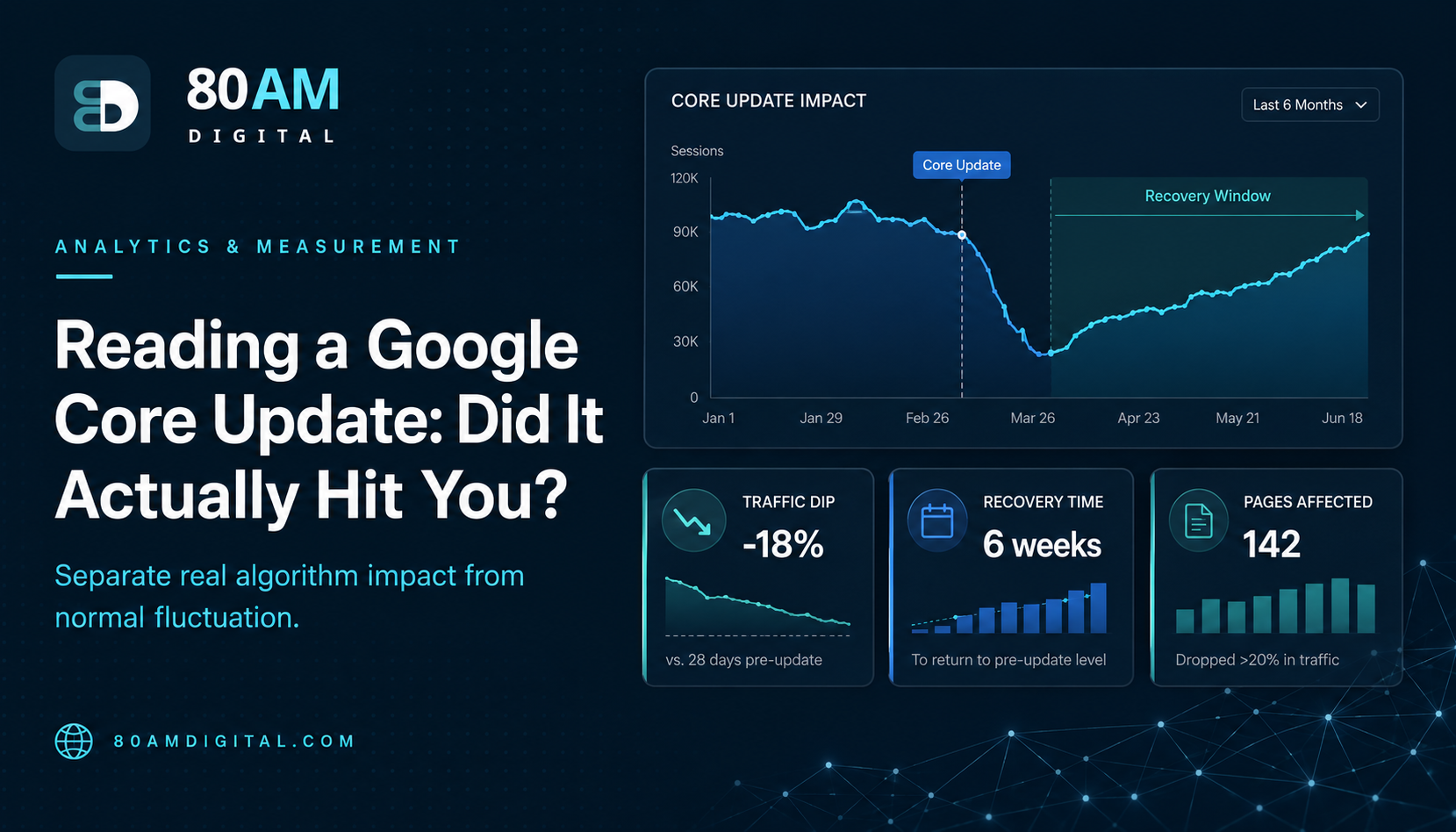
Google releases core updates several times per year. Each one recalibrates how Google evaluates content quality, relevance, and authority across its index. When a core update rolls out, some sites see significant traffic gains; others see significant losses. Most sites see modest changes in both directions across different pages. The wrong response to a core update is panic. The right response is diagnosis.
Before you change anything on your site, you need to understand what the update actually did to your specific content — not what it supposedly did to categories of sites according to early industry speculation. This article walks through the four-step diagnostic process, plus a worked example of a site that correctly diagnosed its own core update impact before touching anything.
The Short Version
Before reacting to a core update: confirm your traffic drop actually correlates with the announced update dates, identify which specific pages and content categories were affected, compare against competitors to see Google’s revealed preference, then apply the content quality framework (expertise, thoroughness, original value, intent match) to the affected pages. Wait for the rollout to fully complete plus another two weeks before drawing conclusions — recovery typically doesn’t happen until the next core update, 3–6 months later, so deliberate diagnosis matters more than fast reaction.
Table of Contents
| Step | What it confirms |
|---|---|
| 1. Confirm causation | The drop actually correlates with the update dates, not something else |
| 2. Identify affected pages | Which content types, topics, or funnel stages moved |
| 3. Compare against competitors | What Google rewarded vs downgraded — its revealed preference |
| 4. Apply quality framework | Specific, actionable gaps on the affected pages |
Step 1: Confirm the Update Caused Your Traffic Change
Not every traffic drop during a core update is caused by the core update. Check Google Search Console’s Performance report for the date range covering the update rollout (Google announces core update start and end dates on their Search Central blog and social channels). If your traffic drop correlates with the update dates, the update is a plausible cause. If the drop began before the update or has a different pattern, investigate other causes first — site changes, technical issues, seasonal patterns, or competitor activity.
Step 2: Identify Which Pages Were Affected
In Search Console: Performance → Pages. Compare the 28 days before and after the update. Sort by clicks to find the pages with the largest absolute losses. Group by category: which content types (blog posts vs service pages vs product pages), which topic areas, which funnel stages are affected? If 90% of the losses are on informational blog content about a specific topic while service pages are stable, the update affected that content category — which focuses your investigation.
Step 3: Compare Against Competitors and Topic Trends
Core updates typically affect groups of sites in similar categories. Check whether competitors who cover the same topics gained traffic during the same period. If your informational blog content declined while a competitor’s equivalent content gained, the update rewarded the competitor’s approach to that content type. Comparing the content that gained vs the content that lost gives you Google’s revealed preference — what did it reward vs what did it downgrade?
Also check whether the topic area’s overall search landscape changed. In some core updates, Google shifts which SERP features dominate for certain query types — if featured snippets now dominate your target queries, clicks may have fallen even if your ranking position is unchanged, because the featured snippet is absorbing the clicks above the organic results.
Step 4: Apply the Content Quality Framework
Google’s guidance for core update recovery consistently refers to content quality: demonstrating expertise and experience, covering topics thoroughly, providing original value, and satisfying the user’s search intent better than alternatives. For pages that lost significant traffic, ask:
- Is there a better source for this topic that Google is now ranking higher? What does it have that your page lacks?
- Is your page’s author and expertise clearly established? Does it demonstrate first-hand knowledge of the topic?
- Does the page satisfy the search intent as well as the pages now outranking it?
- Is there original perspective, original data, or original examples — or is the content primarily a synthesis of what’s already available?
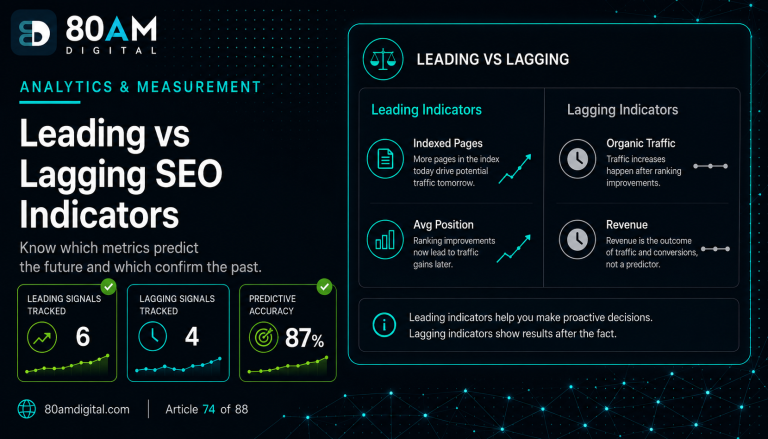
For the full content quality framework, see leading and lagging SEO indicators. For the broader measurement system this diagnosis feeds into, see building an SEO dashboard in Looker Studio.
A Worked Example
A home renovation content site saw a 22% organic traffic drop in the two weeks following a core update rollout and the team’s first instinct was to start rewriting pages immediately. Before doing so, they ran the four-step diagnostic. Step 1 confirmed the drop’s timing matched the update window closely. Step 2 found the loss was concentrated almost entirely on 40 “cost of X” pricing-guide articles, while how-to and project-guide content was essentially flat.
Step 3 showed two competitors with similar pricing-guide content had gained traffic in the same window, and a manual comparison revealed their guides included recent, dated pricing data with explicit sourcing, while the site’s own guides used unsourced, undated price ranges that hadn’t been updated in over a year. Step 4 confirmed the gap matched the quality framework directly: the competitor pages demonstrated more current expertise and original sourcing on exactly the dimension that mattered for this content type.
Rather than rewriting all 40 pages immediately, the team prioritised the 10 highest-traffic guides, added dated, sourced pricing data and removed stale ranges, and waited for the next core update to assess impact rather than expecting an immediate bounce. The diagnosis took three days; it prevented a much larger, less-targeted rewrite effort across content that hadn’t actually been affected.
Frequently Asked Questions
Diagnose Before You Respond
Core updates feel urgent because traffic drops feel urgent. But the correct response is slower than the instinct: wait for the rollout to complete, measure what actually changed and on which pages, compare against competitors and current ranking content, identify the specific quality gaps, and make deliberate improvements. That process takes weeks — and produces better outcomes than rapid changes made during the rollout chaos, which can’t be evaluated and may introduce new problems.
If you’d like help diagnosing your site’s response to a core update and planning a recovery strategy, get in touch.