XML Sitemaps Done Right: What to Include (and Leave Out)
A clean XML sitemap lists only canonical, indexable URLs. Learn what to include, what to exclude, and how to submit and monitor it in Search Console.
Table of Contents
An XML sitemap is a list of URLs you want Google to find and consider for indexing. That definition sounds simple, but most automatically generated sitemaps include URLs that shouldn’t be there — noindexed pages, parameter variants, redirecting URLs, paginated pages, and thin content — which dilutes the signal the sitemap is supposed to send and can slow down how efficiently Google processes the pages that matter.
A well-maintained sitemap lists only the canonical, indexable URLs you actually want in the index. Nothing else.
The Short Version
- Only canonical, indexable, 200-status URLs belong in the sitemap — no noindexed pages, redirects, or parameter URLs.
- A single sitemap can hold up to 50,000 URLs / 50MB uncompressed; larger sites need a sitemap index with separate child sitemaps per content type.
- Submitting a sitemap doesn’t guarantee indexing — it’s a discovery signal, not a quality override.
- Plugin and CMS updates are the most common cause of a previously clean sitemap silently filling with junk URLs — recheck it after major updates.
What to include in an XML sitemap
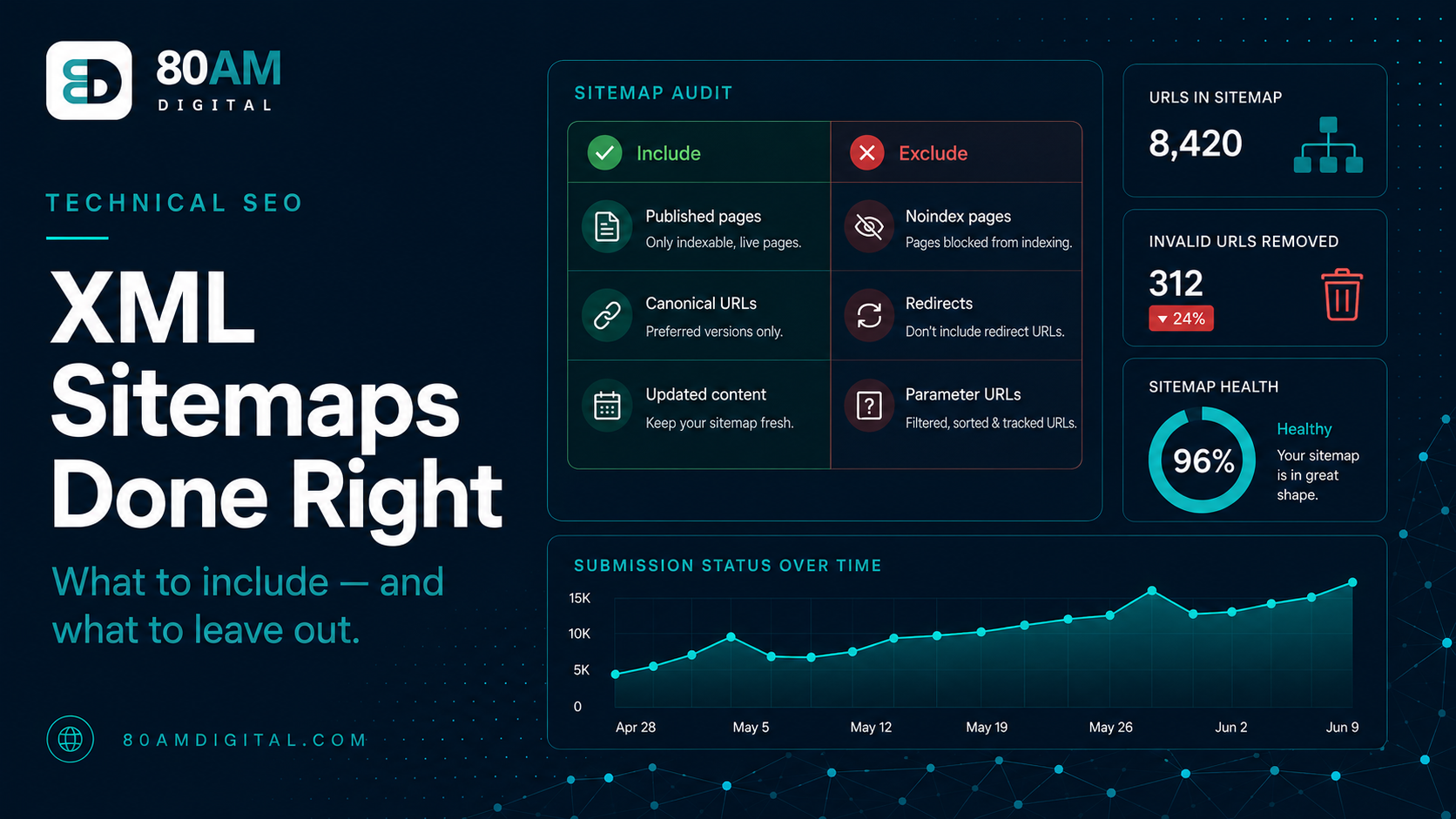
- Published, indexable pages: Pages with no noindex tag, no canonical pointing elsewhere, and a 200 status code. These are the only URLs that should be in the sitemap.
- The canonical version of each URL: If a page exists at both www and non-www, or with and without a trailing slash, include only the canonical version — the one the canonical tag points to.
- Your most important pages first: While sitemap order doesn’t directly determine crawl priority, keeping the sitemap clean and well-organised (pillars, service pages, and high-value content near the top) reflects your own understanding of site structure.
What to leave out
This is where most auto-generated sitemaps go wrong:
| URL type | Why it doesn’t belong |
|---|---|
| Noindexed pages | Creates a contradiction — asking Google to visit a page while telling it not to index it; wastes crawl budget |
| Redirecting URLs | Only the final destination should be listed; Google should only be directed to live, canonical URLs |
| Parameter and filter URLs | Faceted navigation, sort parameters, session IDs, and tracking parameters aren’t canonical pages |
| Paginated pages (most cases) | Unless a page has meaningful standalone content, keep pagination crawlable via internal links but out of the sitemap |
| Tag and archive pages | WordPress tag, date, and author archives are often thin-content pages that shouldn’t be indexed at all |
| Staging or development URLs | A sign the sitemap was generated on the wrong environment and imported without checking |
Sitemap structure: when to use multiple sitemaps
A single XML sitemap can contain up to 50,000 URLs (and should be under 50MB uncompressed). For most sites, one sitemap is sufficient. For large sites, a sitemap index file that references multiple child sitemaps is the right structure — one sitemap for posts, one for pages, one for products, one for categories. This makes it easier to monitor crawl status for each content type in Search Console separately.
Useful sitemap additions: <lastmod> — the date the page was last meaningfully updated. Google uses this to prioritise crawling recently updated content. Only include it if you’re actually updating it correctly; a static lastmod date from years ago that never changes is worse than no lastmod at all.
Sitemap limits and what they mean in practice
Sitemap reference numbers
Submitting and monitoring in Search Console
Submit your sitemap in Search Console → Indexing → Sitemaps → Add a new sitemap. The URL is typically yourdomain.com/sitemap.xml or yourdomain.com/sitemap_index.xml. After submission, Search Console shows the number of URLs submitted vs the number discovered (which may differ if you’re using a sitemap index). The “Couldn’t fetch” error means Google can’t access the sitemap URL — check it’s publicly accessible and returns a 200 status.
Monitor the sitemap periodically: if the submitted count grows significantly, parameter or archive URLs may have been added by a plugin update. Keep it clean — a sitemap that’s a reliable list of your best content is more useful to Google than one that’s a complete dump of every URL on the site.
For the broader technical SEO audit framework, see the SEO audit checklist.
A worked example: a plugin update that broke a sitemap
A WordPress site’s submitted sitemap count jumped from 340 URLs to 2,100 URLs overnight, with no corresponding content launch. Search Console’s Sitemaps report showed the increase but not the cause. Opening the sitemap XML directly in a browser showed the new entries were all /tag/ archive URLs — a plugin update had silently re-enabled tag archive indexing and added them back into the sitemap, undoing a noindex configuration set up a year earlier.
The fix took fifteen minutes: re-applying the noindex rule to tag archives in the SEO plugin’s settings and excluding the /tag/ path from the sitemap generator. Within a week, the submitted count returned to 340, and the “Discovered, currently not indexed” count in Search Console — which had also spiked — dropped back down as Google stopped finding new thin archive pages to flag. The broader lesson: any major plugin or CMS update is worth a quick sitemap-count sanity check before assuming nothing changed.
Frequently asked questions
A sitemap is only as useful as it is accurate
An auto-generated sitemap that includes every URL on the site — noindexed pages, redirects, parameter variations — is noisier than no sitemap at all. A curated sitemap that lists only the canonical, indexable URLs you want Google to find is a useful crawl signal. The difference is whether you’ve thought about what belongs there.
If you’d like your sitemap and indexation coverage reviewed as part of a broader technical audit, get in touch.