Technical SEO for Ecommerce: Faceted Nav, Pagination & Duplicate URLs
Faceted navigation, pagination and parameter URLs quietly waste crawl budget on ecommerce sites. Here’s how to keep large catalogs crawlable and indexable.
Table of Contents
Ecommerce sites have technical SEO problems that don’t exist on smaller, simpler sites. A catalogue with 5,000 products and a filtering system that generates parameters for size, colour, and price can produce tens of thousands of unique URLs overnight — most of them duplicates, thin variations, or pages that should never be indexed. Google’s crawler has a finite budget for each site; if it’s spending that budget on filter combinations nobody searches for, the category and product pages that actually earn revenue don’t get crawled efficiently.
This playbook covers the three areas that cause the most crawl and indexation problems on ecommerce sites: faceted navigation, pagination, and duplicate product URLs.
The Short Version
- Faceted navigation can multiply a catalog’s crawlable URLs by 50-100x — canonicalize or noindex filter combinations that have no search demand.
- Never canonicalize every paginated page back to page 1 — that removes page 2+ products from the index entirely.
- Product variants need a decision, not a default: canonicalize variants with no distinct search demand, index the ones searchers actually look for by name.
- Crawl budget only matters once a site passes roughly 10,000 indexable URLs — below that, Google typically crawls everything regardless.
Faceted navigation: the biggest crawl budget drain
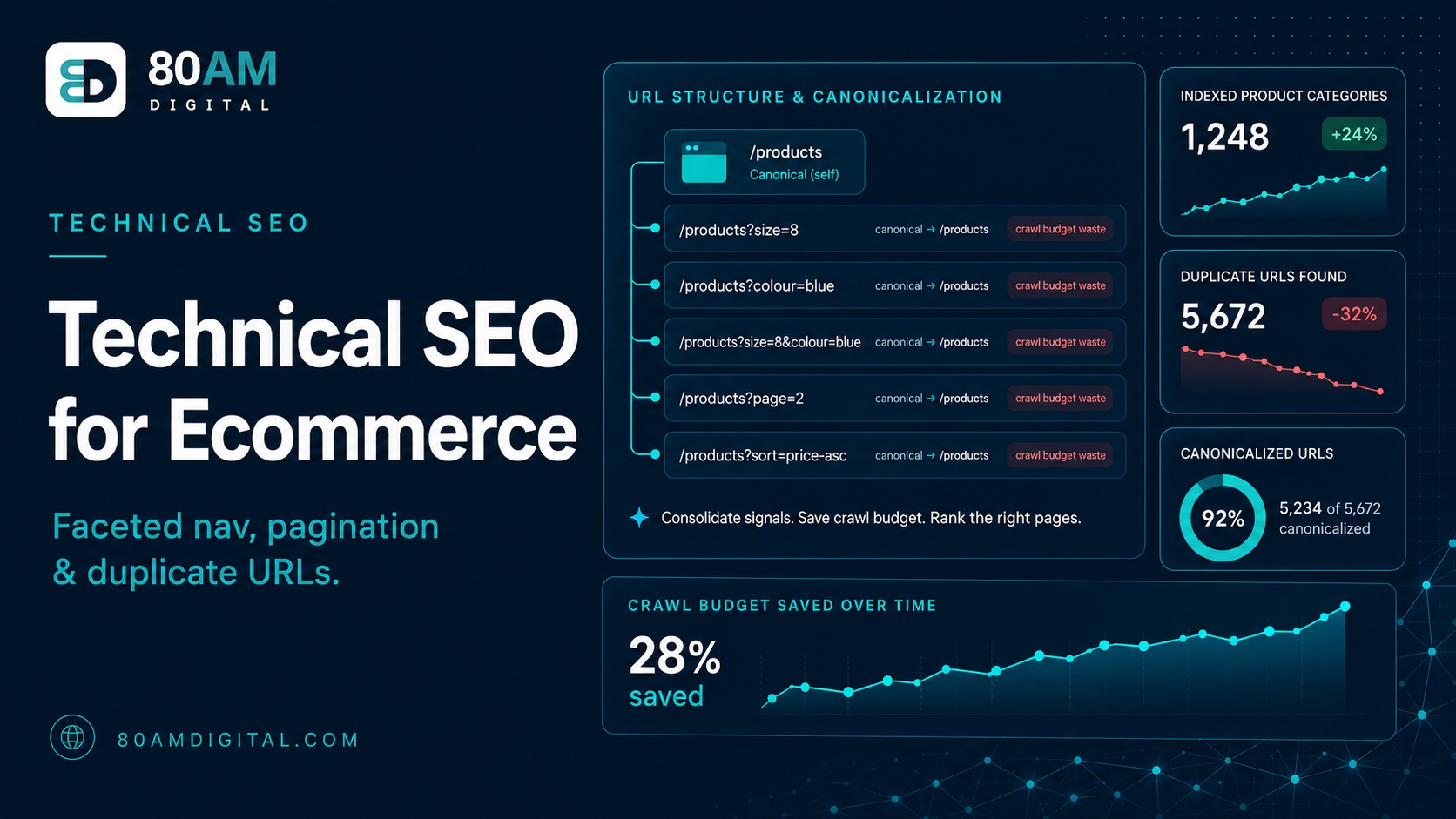
Faceted navigation — the filter system that lets shoppers sort by size, colour, brand, price range — is essential for usability. For SEO, it’s a significant risk unless it’s handled correctly. Each filter combination generates a URL. A category with 10 size options, 8 colours, and 5 brands can produce over 400 unique filter-combination URLs from a single category page. Multiplied across hundreds of categories, this can generate hundreds of thousands of indexable URLs, almost none of which searchers look for directly.
The standard approaches to managing this, in order of how aggressively they restrict crawling:
| Approach | What it does | Best for |
|---|---|---|
| Canonical to base category | Consolidates ranking signals from filter URLs to the unfiltered category page; filter URL stays crawlable | Filter combinations with no independent search demand |
| Noindex the combination | Removes the page from the index entirely while leaving it crawlable | Thin or near-duplicate filter pages you never want to surface in search |
| Disallow in robots.txt | Blocks crawling outright, saving crawl budget but losing any consolidation of signal | Session IDs, tracking parameters, sort options — never worth crawling |
| Index as its own page | Treats the filter combination as a real landing page with unique content | Facets with validated search demand (e.g., “blue resistance bands”) |
Pagination: making multi-page catalogs work
Category pages with more products than fit on one page create a pagination chain — page 1, page 2, page 3. The SEO question is which of these pages should be indexed, and how they should signal their relationship to each other.
Google deprecated the rel=”next”/rel=”prev” link hints in 2019. The current best practice is simpler: ensure every paginated page is crawlable and indexable, and let Google figure out the relationship through internal links and the sitemap. Each paginated page should have its own unique title tag that differentiates it (e.g., “Trail Running Shoes — Page 2 | Brand”). Avoid canonicalising all paginated pages to page 1 — this tells Google page 1 is the only version worth indexing, which removes all subsequent pages from the index and makes it harder for Google to discover products listed only on later pages.
Infinite scroll presents a specific problem: content loaded dynamically via JavaScript may not be crawled by Google even if it’s visible to users. If products below the fold are rendered via JavaScript, Google needs to be able to render the JavaScript to see them — and this isn’t guaranteed. Providing paginated fallback URLs remains good practice for large catalogues with infinite scroll implementations.
Duplicate product URLs: variants and platform defaults
Product variants — different sizes, colours, and configurations of the same base product — often generate separate URLs. A running shoe available in 6 colours creates 6 product pages, each with near-identical content. Without canonical tags, Google sees six versions of the same page and has to guess which one to index and rank.
The solution depends on how distinct the variants are:
- Variants with no distinct search demand (e.g., size variants): canonical all to the main product URL. Shoppers don’t search for “Nike Pegasus size 10” — they search for the product name and select size on the page.
- Variants with distinct search demand (e.g., colour variants where searchers look for “blue resistance bands” specifically): treat each colour variant as a separate indexable page with unique content, title, and description.
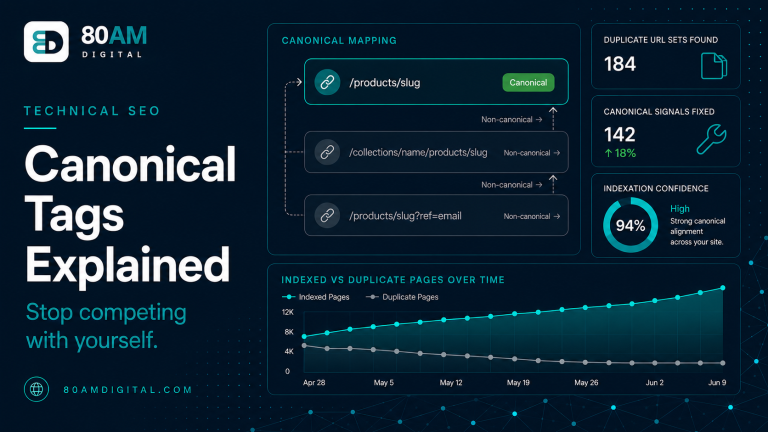
Platform-specific duplicate issues: Shopify creates both /products/slug and /collections/collection-name/products/slug URLs for every product. Shopify applies canonicals automatically, but verify this is working correctly — the canonical on the collection-path URL should point to the /products/ version. WooCommerce on WordPress can generate similar issues through product taxonomies.
For the full technical SEO audit framework that covers all of these issues and more, see the SEO audit checklist.
How much crawl budget is actually at stake
It’s easy to treat faceted navigation as a theoretical risk. In practice, the multiplication effect is large enough to measure directly in Search Console once you know what to look for.
Typical scale of the problem
A worked example: a 6,000-SKU apparel catalog
An apparel retailer with 6,000 products and a typical filter setup (size, colour, fit, price band) had roughly 340 category and product page templates — but Search Console’s Crawl Stats showed Googlebot requesting over 280,000 unique URLs per month, while only 9,200 pages were actually indexed. The gap was almost entirely filter-combination URLs: size and fit facets that nobody searches for, generated dynamically by the storefront’s filter widget and linked directly in the page HTML.
The fix didn’t require touching the storefront’s filtering logic at all. The team added canonical tags pointing every size- and fit-only filter combination back to the base category, kept colour-filtered URLs indexable where keyword data showed real demand, and disallowed sort and session parameters in robots.txt. Within six weeks, Crawl Stats showed Googlebot requests drop to roughly 60,000 URLs per month — and indexed pages for the categories that mattered increased, because crawl budget that had been wasted on filter combinations was now reaching new product pages instead.
Frequently asked questions
Get the crawlable foundation right first
Technical SEO for ecommerce isn’t glamorous. It’s crawl logs, canonical audits, and parameter reviews — work that happens before any content strategy or link building. But it’s the foundation everything else depends on. A catalogue that Google can’t crawl efficiently won’t rank well regardless of how good the copy is.
If you’re running a large ecommerce catalogue and want to understand where your crawl budget is going and what’s blocking indexation, get in touch or see how we approach ecommerce technical SEO.