Form Friction: How to Cut Fields Without Hurting Lead Quality
Every extra form field costs conversions, but too few hurts lead quality. Learn to balance form length against quality and cut friction where people act.
Table of Contents
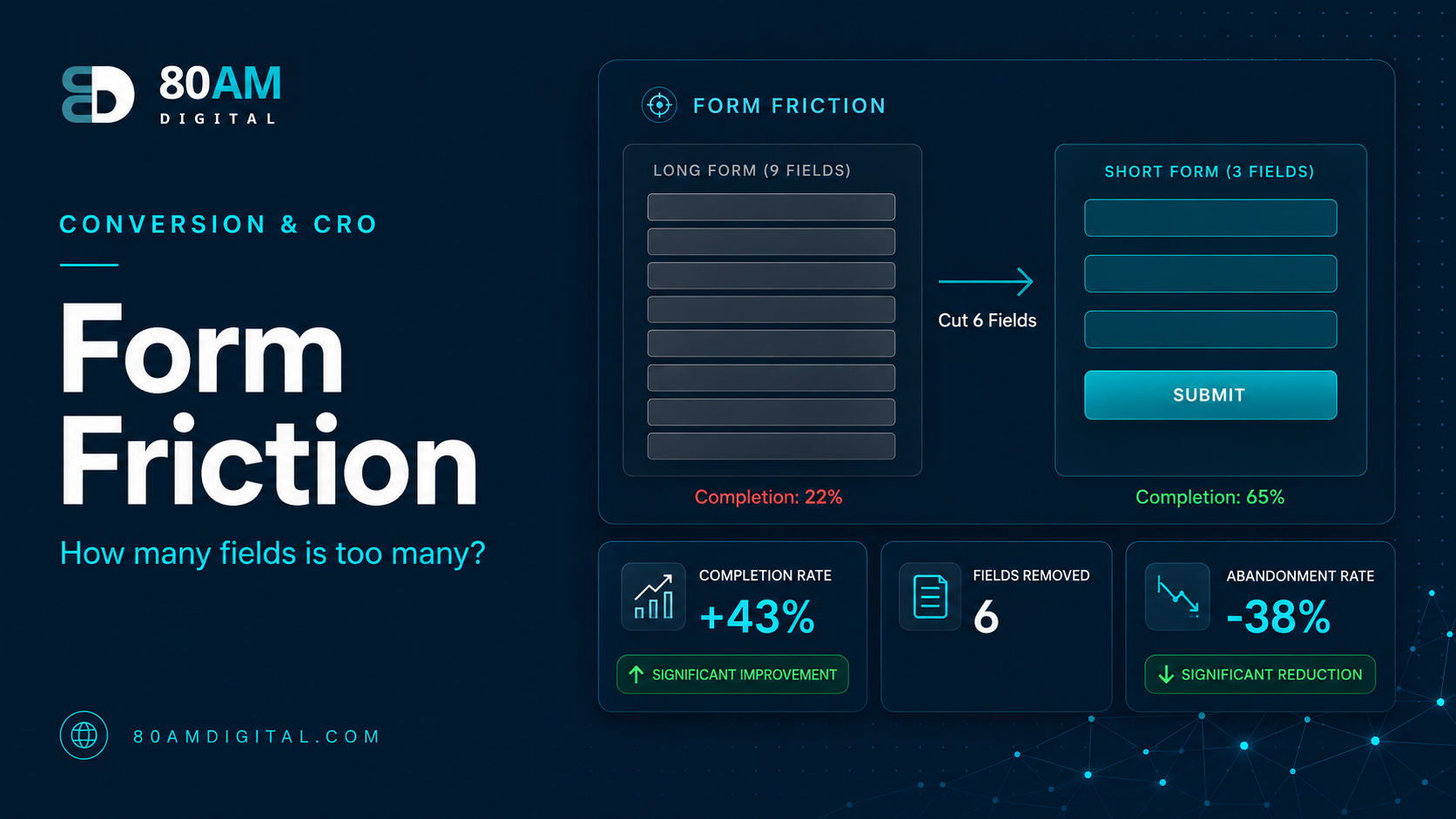
Every field you add to a form costs you conversions. The research on this is consistent: reducing a form from 11 fields to 4 can more than double submission rate. But “fewer fields = more conversions” is too simple to be a strategy — a form with only an email field may convert at 30% but produce leads that convert to customers at 1%. A slightly longer form with three qualifying questions may convert at 15% but produce leads that close at 12%.
The question isn’t how few fields you can have. It’s which fields are worth the friction they add.
The Short Version
- Classify every field as: needed to follow up, qualifies the lead, or collected out of habit — remove the third category first.
- Ask sales which CRM fields they actually look at before calling — usually two or three — and keep only those plus name and email.
- Friction isn’t only field count — open text vs. dropdown, unnecessary required markers, and ambiguous labels all add perceived friction.
- For 6+ field forms, progressive disclosure (collecting name/email in step 1, qualifiers in step 2) improves completion over a single long form.
The three types of form fields
Before auditing a form, classify each field into one of three categories:
| Category | Examples | Action |
|---|---|---|
| Needed to follow up | Name, email (or phone) | Keep — non-negotiable minimum |
| Qualifies the lead | Budget, timeline, use case | Keep only what sales actually uses |
| Collected out of habit | Fax, job title, “how did you hear about us” | Remove first |
- Fields you need to follow up: Name and email (or phone, depending on your follow-up process). Without these you can’t contact the person. These are non-negotiable and don’t count as friction in the same way — they’re the minimum viable requirement.
- Fields that qualify the lead: Budget, company size, timeline, use case, or anything that lets your sales or service team prioritise and tailor follow-up. These add friction but also add value — they improve conversion downstream even if they reduce top-of-funnel volume.
- Fields you collect out of habit: Fax numbers. “How did you hear about us?” (which analytics answers better). Job title. Company URL. Phone number when you only ever email. These add friction and produce data that’s rarely acted on. These are the fields to remove first.
How to decide which qualifying fields to keep
Ask your sales or account team one question: which fields in our CRM do you actually look at before you pick up the phone? In most cases, the answer is two or three fields at most. Every other qualifying field is data that gets imported and ignored.
If the answer is “budget range and project type,” keep those two qualifying fields and remove everything else that isn’t needed to make contact. The form becomes: name, email, budget range, project type. Four fields. That’s a form that converts reasonably well and produces leads that are useful to work with.
Reducing perceived friction without removing fields
Not all friction is about field count. Some forms convert poorly despite having few fields because the friction is perceptual rather than literal. Perceived friction includes:
- Open text fields where a dropdown would do: “Tell us about your project” requires writing; a dropdown of project types requires a click. If you need to categorise the input anyway, make the visitor choose from a list rather than compose prose.
- Required fields that could be optional: Mark fields as optional if you don’t strictly need them. Many visitors will fill them in anyway, but those who don’t want to can still submit. The required indicator on a field that isn’t strictly required is pure friction.
- Ambiguous field labels: “Name” — first name only, or full name? “Phone” — mobile or any number? Unclear labels cause pauses. Each pause is a micro-friction event. Clear labels eliminate them.
- Validation that fires on focus-out rather than submit: If the email field shows an error the moment the visitor clicks away to fill in the next field, the error appears before they’ve finished. Validate at submit for all fields except those where real-time validation genuinely helps (password strength).
Progressive disclosure for high-intent forms
For longer qualification forms (6+ fields), progressive disclosure — breaking the form into two steps — can significantly improve completion rates. Step 1 collects name and email and submits (so you have the contact even if they abandon step 2). Step 2 collects the qualifying information. The visitor who has already committed to step 1 is far more likely to complete step 2 than they would be to complete a single 8-field form from a cold start.
Show the visitor how many steps there are (“Step 1 of 2”) so they know what they’re committing to. Hidden step counts create abandonment when the unexpected second step appears.
For what to optimise after the form, see traffic but no conversions. For CTA placement relative to your forms, see effective CTAs.
A worked example: 11 fields to 4
Same offer, same traffic, fewer questions
A B2B services company’s “Request a Quote” form had 11 fields: name, email, phone, company, job title, company size, industry, budget range, timeline, “how did you hear about us,” and an open text box for project details. Completion rate sat at 9% of visitors who started the form.
The sales team confirmed they only consistently used budget range and timeline before a first call — everything else was either inferred during the call or never referenced. The form was cut to name, email, budget range, and timeline (the open text box became an optional field rather than required, and the dropdown for timeline replaced free text). Completion rate rose to 21% within a month, on the same traffic, and the sales team reported no change in lead-to-close rate — the leads were just as qualified with seven fewer questions.
Frequently asked questions
Remove what isn’t earned
Every form field is a question you’re asking a visitor who hasn’t decided yet whether to trust you. Ask only the questions that are worth the friction. For everything else — every “nice to have” data point, every field that ends up in a CRM column nobody checks — the default answer is: remove it and get the conversion first.
If you’d like a review of your lead generation forms as part of a conversion audit, get in touch.